
Donget: The App That Splits Group Expenses — and the To-Dos
Contents12 sections
- Why splitting costs with friends gets messy so fast
- How Donget works, in three steps
- Four ways to split — because not everything is equal
- Scan a receipt instead of typing it
- Settle up with the fewest transfers
- It’s not just money: share the group’s to-dos
- Other things you’ll be glad it has
- Where Donget fits
- What Donget doesn’t do
- How to get started
- Frequently asked questions
- The short version
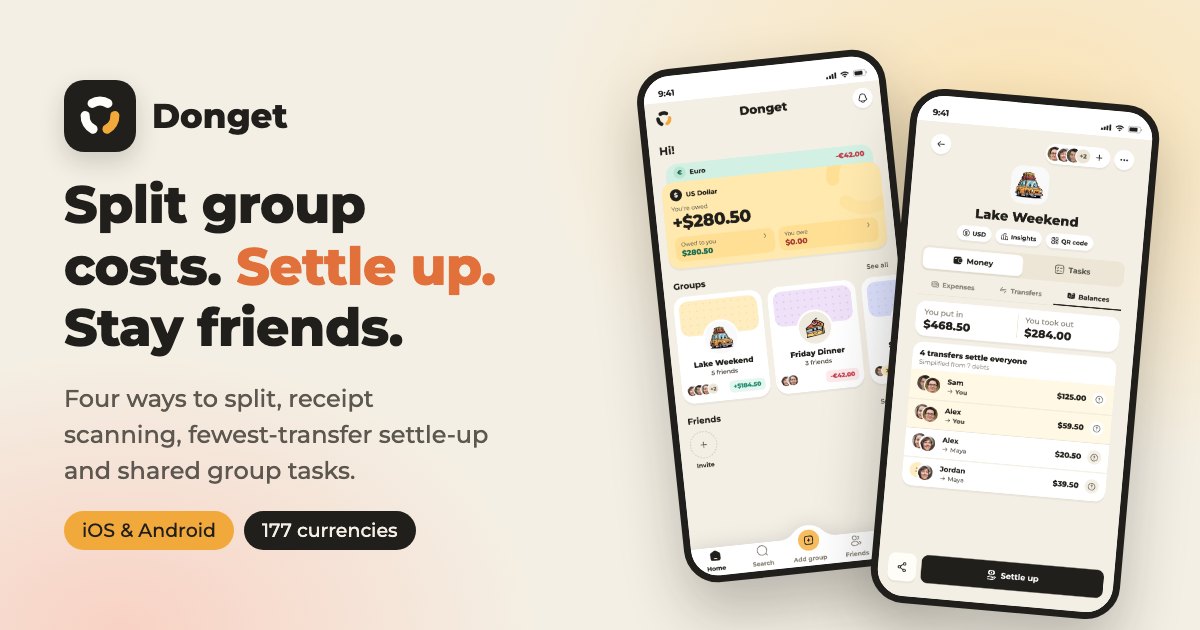
Donget is a mobile app for splitting group expenses. You and your friends log what each person pays on a trip, at a dinner or in a shared flat, and Donget works out everyone’s share, shows who owes whom, and suggests the fewest payments needed to settle up. It also splits the group’s to-dos — who books the cabin, who brings the speaker — right next to the money.
Full disclosure before we go any further: I built Donget with my team. So yes, I’m biased. What I’ve tried to do here is explain plainly what it does, what it doesn’t, and where it fits — and leave the decision to you.
Why splitting costs with friends gets messy so fast
Splitting one bill is easy. Splitting a whole weekend is not. Let’s do the maths on a simple lake trip with four friends (the numbers are just an example):
- Alex booked the cabin: $800
- Maya paid for fuel and tolls: $200
- Sam did the grocery run: $320
- You covered dinner out: $280
That’s $1,600 in total, so everyone’s fair share is $400. If each person paid back their share of every single expense separately, everyone would owe money to three other people — up to twelve transfers, most of them awkward little amounts.
The smarter way is to net it out first: what has each person paid, compared with what they should have paid?
| Person | Paid | Fair share | Result |
|---|---|---|---|
| Alex | $800 | $400 | is owed $400 |
| Maya | $200 | $400 | owes $200 |
| Sam | $320 | $400 | owes $80 |
| You | $280 | $400 | owe $120 |
Now it’s three payments: Maya sends Alex $200, Sam sends $80 and you send $120. Done. Three transfers instead of twelve.
With four people and four expenses you can still do this on a napkin. Real trips have dozens of expenses, someone who joins halfway through, someone who doesn’t drink, a couple who share a room. That’s where spreadsheets break and friendships get a little tense over $35. The problem was never the money — it’s keeping the record clear.
How Donget works, in three steps
- Create a group — “Lake Weekend”, “Shared Flat”, “Friday Dinner” — and pick its currency.
- Add your people with an invite link or a QR code. Friend not keen on installing another app? Just type their name. They don’t need an account to be part of the split.
- Log each expense as it happens: how much, who paid, and who it’s split between. Donget does the rest.
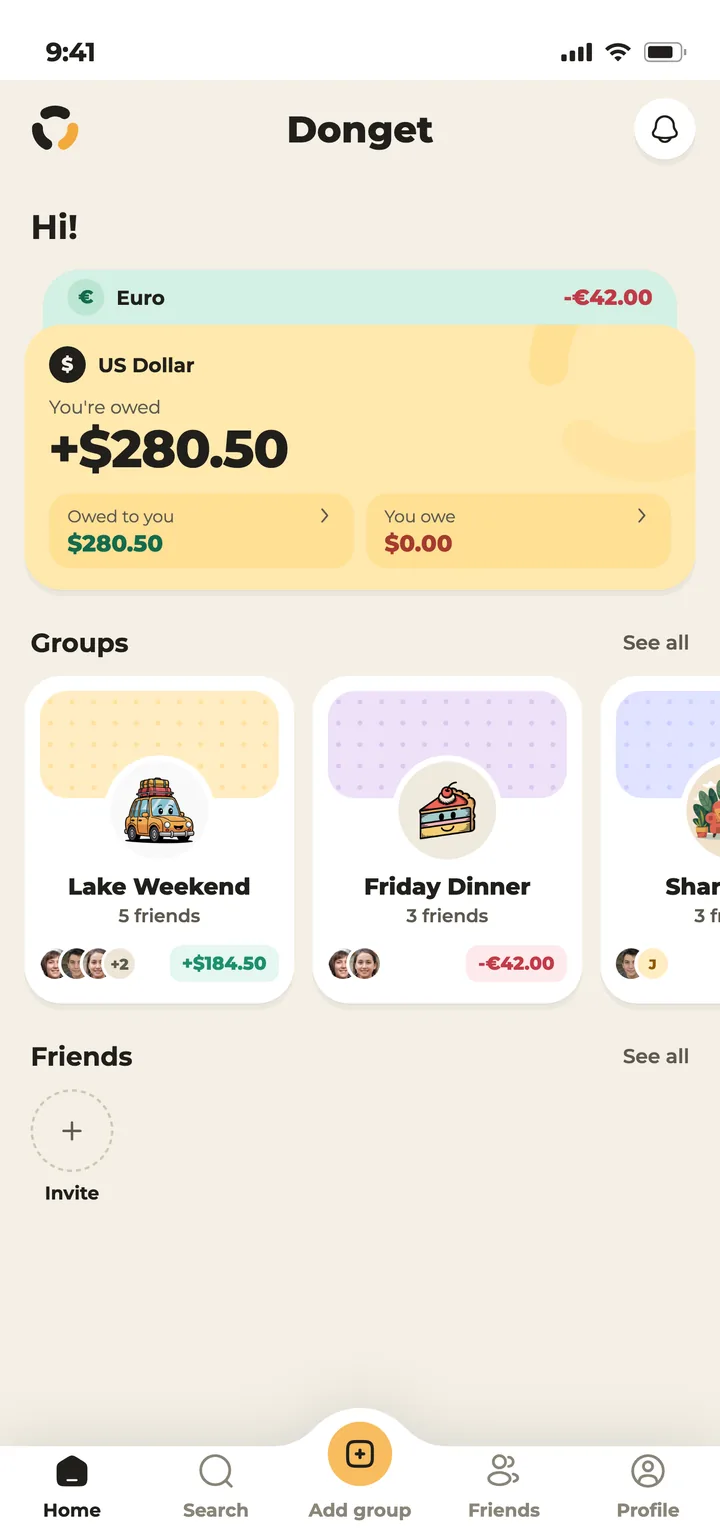
From then on, everyone who opens the app sees the same numbers. Nobody has to ask “so what do I owe now?”, and nobody gets stuck being the group’s unpaid accountant.
Four ways to split — because not everything is equal
Most of the time “divide by the number of people” is fine. When it isn’t, Donget gives each expense four split methods:
| Method | What it means | Good for |
|---|---|---|
| Equal | Split evenly between everyone, or between the people you pick. | Fuel, the cabin, shared groceries |
| Amount | Type exactly how much each person owes. | A restaurant where everyone ordered their own dish |
| Percentage | Give each person a percentage. | Rent where the bigger room pays 60% |
| Multiplier | Give each person a weight; a multiplier of 2 means two shares. | A family of three travelling with single friends |
The multiplier is the one people don’t know they need. Say a villa costs $900 and a family of three comes along with three single friends. Give the family a multiplier of 3 and each friend a multiplier of 1. That’s six shares of $150: the family pays $450 and each friend pays $150. Fair, and nobody had to reach for a calculator.
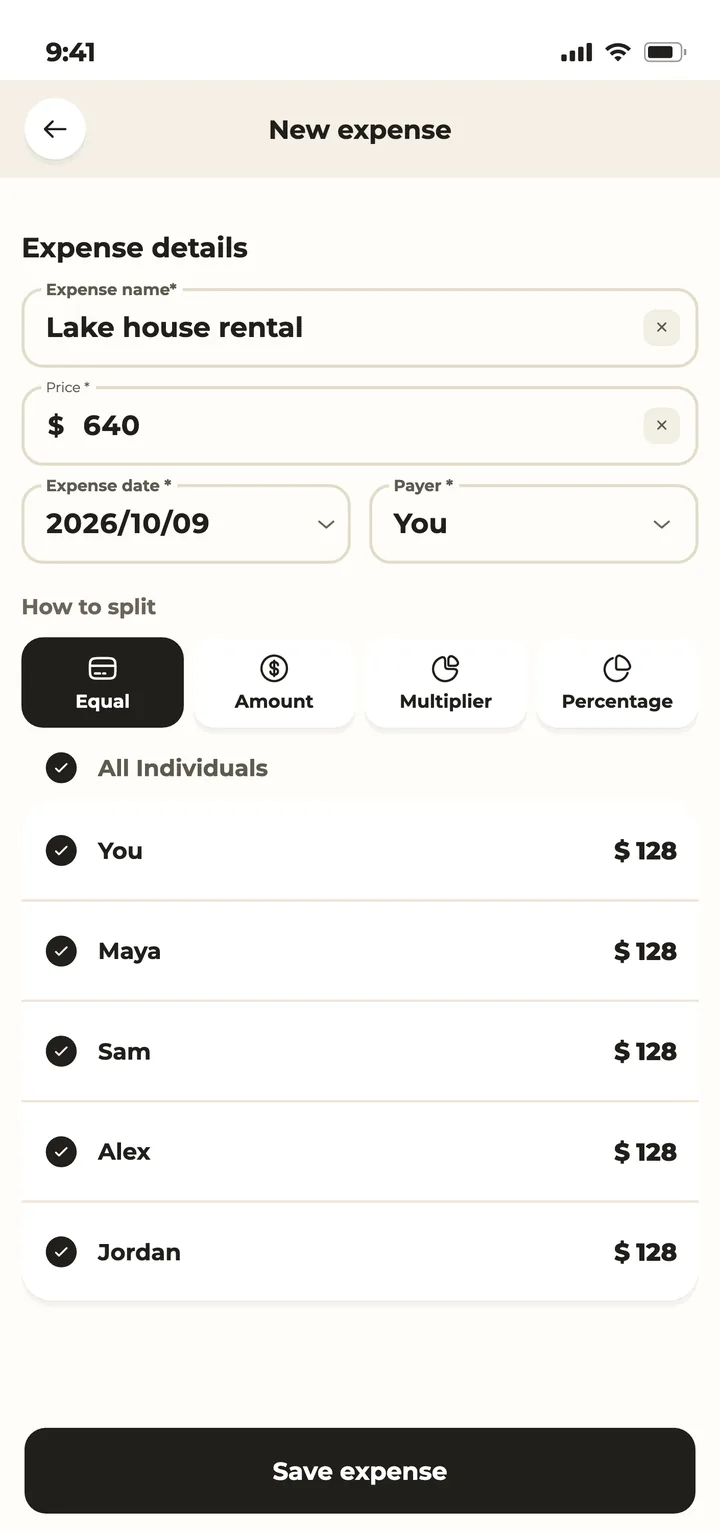
You can also break one expense into line items and assign each item to the people who actually shared it — the bottle of wine to the three who drank it, the bread to everyone.
Scan a receipt instead of typing it
The most tedious part of any group budget is copying receipts into a phone. Donget has a shortcut: take a photo of the receipt, or pick one from your gallery. Donget reads it and prepares a draft expense — line items, amounts, tax and all.
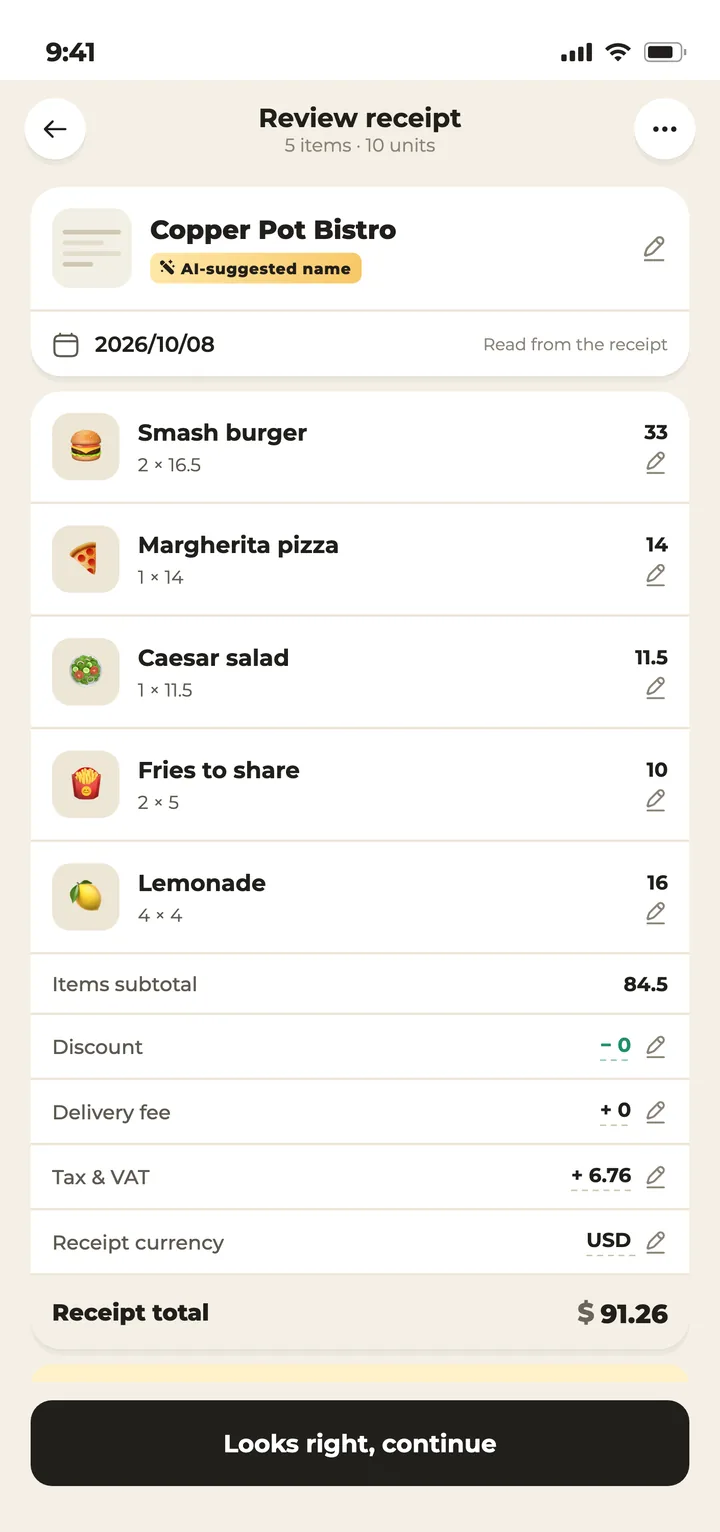
You then review the draft, assign each item to the right people and fix anything it misread. That review step matters: no app reads a crumpled, faded receipt perfectly every time, so take a quick look before you save.
Scans run in the background, so you don’t have to sit and wait — you get a notification when the draft is ready. If you’re offline, the scan is queued and runs once you’re back online. Scan the dinner receipt at the table; review it in the morning.
Settle up with the fewest transfers
Remember how we turned twelve payments into three? Donget does that for you. The Balances tab shows what each person is owed or owes overall, and Settle up suggests the minimum set of transfers that clears the group — “Maya pays Alex $200”, and so on.
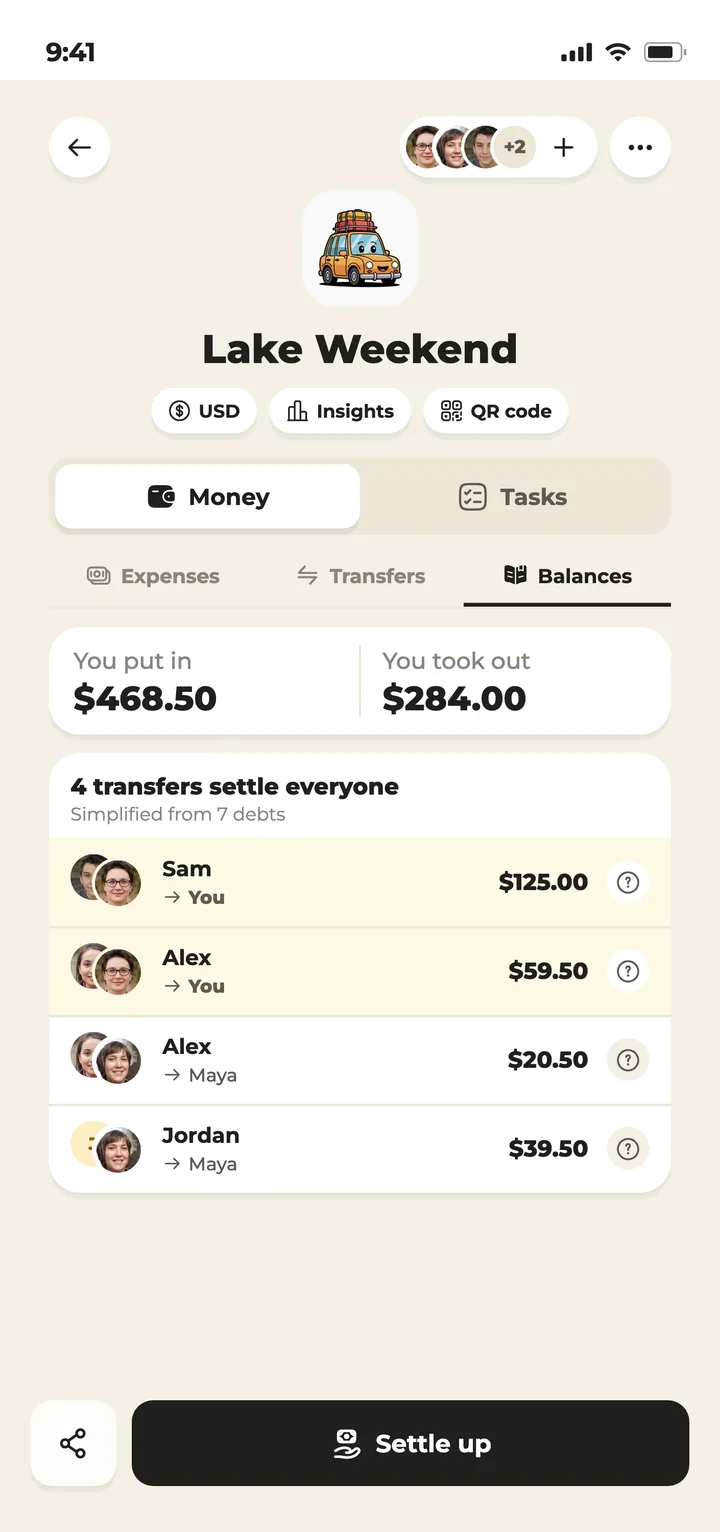
One thing to be clear about: Donget never moves money. It doesn’t connect to your bank, hold funds or process payments. It tells you who should pay whom; you pay the way you already do — bank transfer, cash, whatever your group uses — and then confirm it in the app so the balance clears. If someone forgets, you can send them a friendly nudge instead of having that conversation yourself.
And if a group’s numbers ever don’t add up, Donget says so rather than inventing suggestions, and points you to the Balances tab so you can find the mistake. I like that honesty more than anything else in the app.
It’s not just money: share the group’s to-dos
Anyone who has organised a group trip knows half the friction isn’t about money. It’s “wait, who was bringing the speaker?” and “I thought you booked the cabin”. That’s why every Donget group also has Tasks.
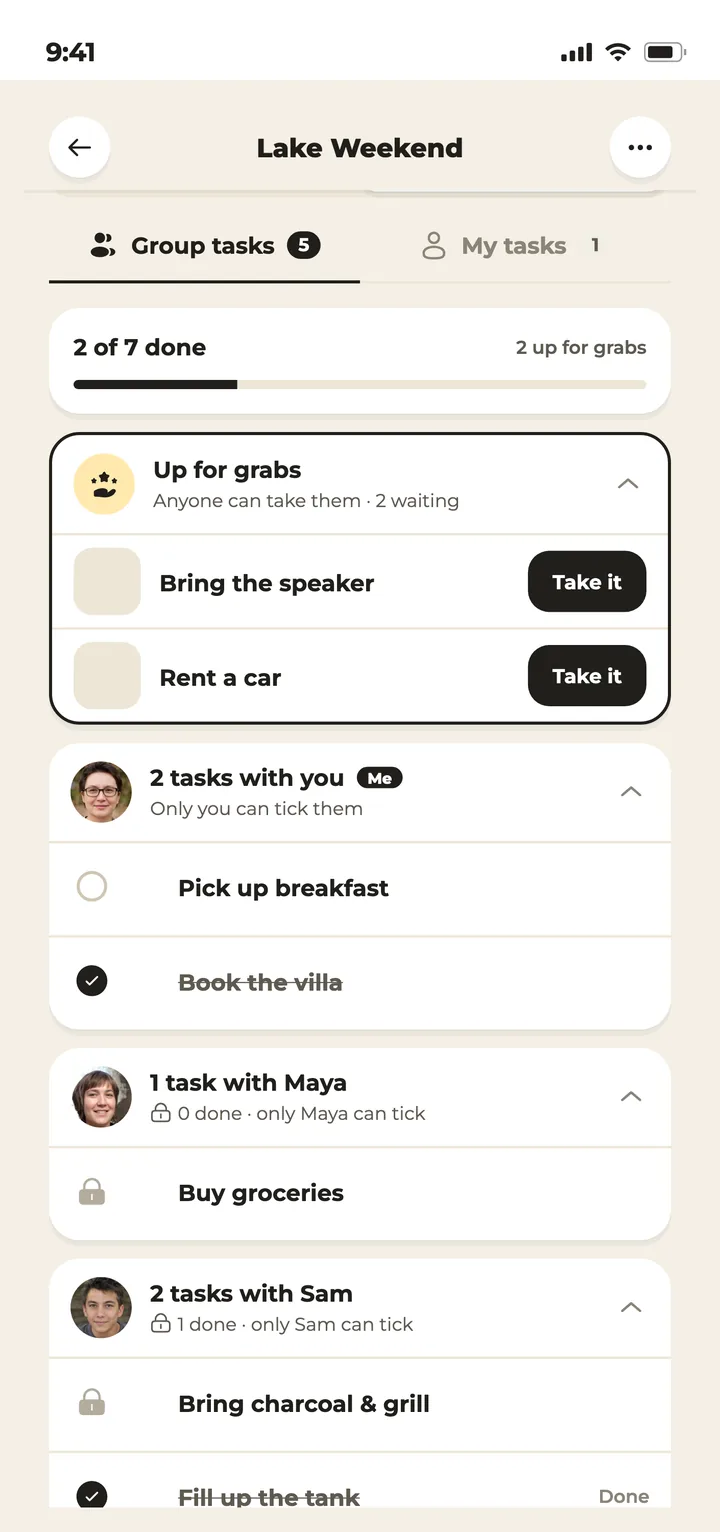
Write the to-dos: book the cabin, buy groceries, bring the speaker, rent a car. Anything nobody has claimed sits under Up for grabs. Tap Take it and it moves under your name; tick it off when it’s done. You can hand a task to someone else, or take one on together.
The clever bit is that tasks and money are connected. Finished a task that cost something — like the grocery run? Turn it into an expense in one tap and it lands in the group’s balance. There’s also a private My tasks list for things only you need to remember.
Other things you’ll be glad it has
- Travelling abroad: log each expense in the currency you actually paid. Donget knows 177 currencies and converts using the exchange rate from the expense’s date.
- Insights: charts of spending by category and over time, and who paid what.
- Ask Donget: type a plain question like “who owes me?” and get an answer.
- Works offline: what you add is saved straight away and syncs when you’re back online — handy at a campsite with one bar of signal.
- Guest Mode: try it without signing up, for up to two groups. Signing in removes the limit.
- 87 languages: the friend who doesn’t speak English sees the app in their own language.
Where Donget fits
Anywhere a few people spend money together:
- Group trips — from a weekend away to a ten-day trip abroad. There are more scenarios on Donget’s page about group trips.
- Dinners and parties — birthdays, BBQs, group gifts.
- Roommates — rent, bills and the monthly shop, with a clear picture at the end of each month.
- Couples — when you both pay for things and want to know where you stand.
- Colleagues — team lunches, the coffee fund, a leaving present.
What Donget doesn’t do
- It isn’t a wallet or a payment app. You move the money; Donget records what was agreed and what was settled.
- Receipt scanning isn’t flawless. It prepares a draft, and you review it.
- It’s phone-only. Donget is on iOS and Android; there’s no web or desktop version.
- A balance in Donget isn’t a legal document. It’s a clear, shared record of what friends agreed.
How to get started
- Install Donget from the App Store or Google Play.
- Sign in with Apple, Google or email — or tap “Skip for now” and try it as a guest.
- Create your first group and drop the invite link into your group chat.
- Log the first expense today, even if it’s just a round of coffee.
Frequently asked questions
What is Donget?
Donget is a mobile app for splitting group expenses. You log what people pay on a trip, at a dinner or in a shared home; Donget works out each person’s share, shows who owes whom and suggests the fewest payments needed to settle up. It also lets the group share its to-dos.
Does everyone in the group need to install Donget?
No. You can add someone just by typing their name, and they’ll be included in the split without an account. If others do install it, everyone can log their own expenses and see the same numbers.
Does Donget send or hold money?
No. Donget never moves, holds or processes money. It tells you who should pay whom; you pay the way you normally do and confirm the payment in the app.
How does receipt scanning work in Donget?
Take a photo of a receipt or pick one from your gallery. Donget reads it and prepares a draft expense with line items, amounts and tax. You review the draft, assign items to people and save it.
What is the multiplier split?
With the multiplier split you give each person a weight, and their share is calculated in proportion. For example, a family given a multiplier of 3 pays three times as much as a single friend with a multiplier of 1.
Can I use Donget without an account?
Yes. Tap “Skip for now” to use Guest Mode, which allows up to two groups. Signing in with Apple, Google or email removes the limit.
Is Donget available on iPhone and Android?
Yes, Donget is available on the App Store for iPhone and on Google Play for Android. There is no web or desktop version.
The short version
Splitting costs with friends isn’t hard; it’s untidy. There are lots of expenses, a different person pays each time, and nobody wants to be the one keeping score. Donget keeps the score for everyone: each expense is logged once, shares are worked out with one of four split methods, settling up takes the fewest possible transfers, and the group’s to-dos live right next to the money.
So next time you plan a trip or a dinner, make the Donget group before the first euro is spent, and share the link. At the end, instead of a spreadsheet and a calculator, there’s one button: Settle up.